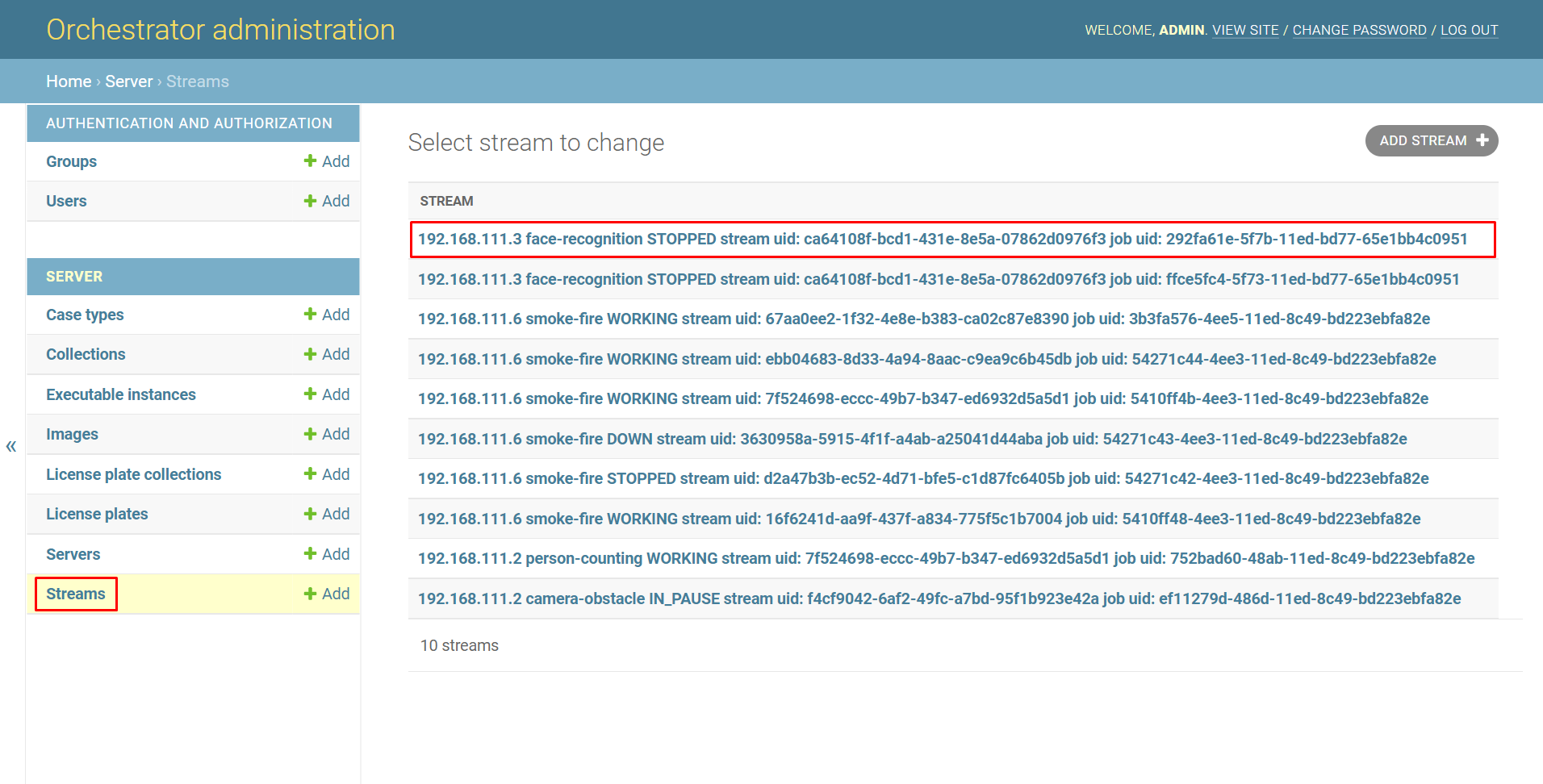
To view information about a specific stream, open the Streams page, select the stream.
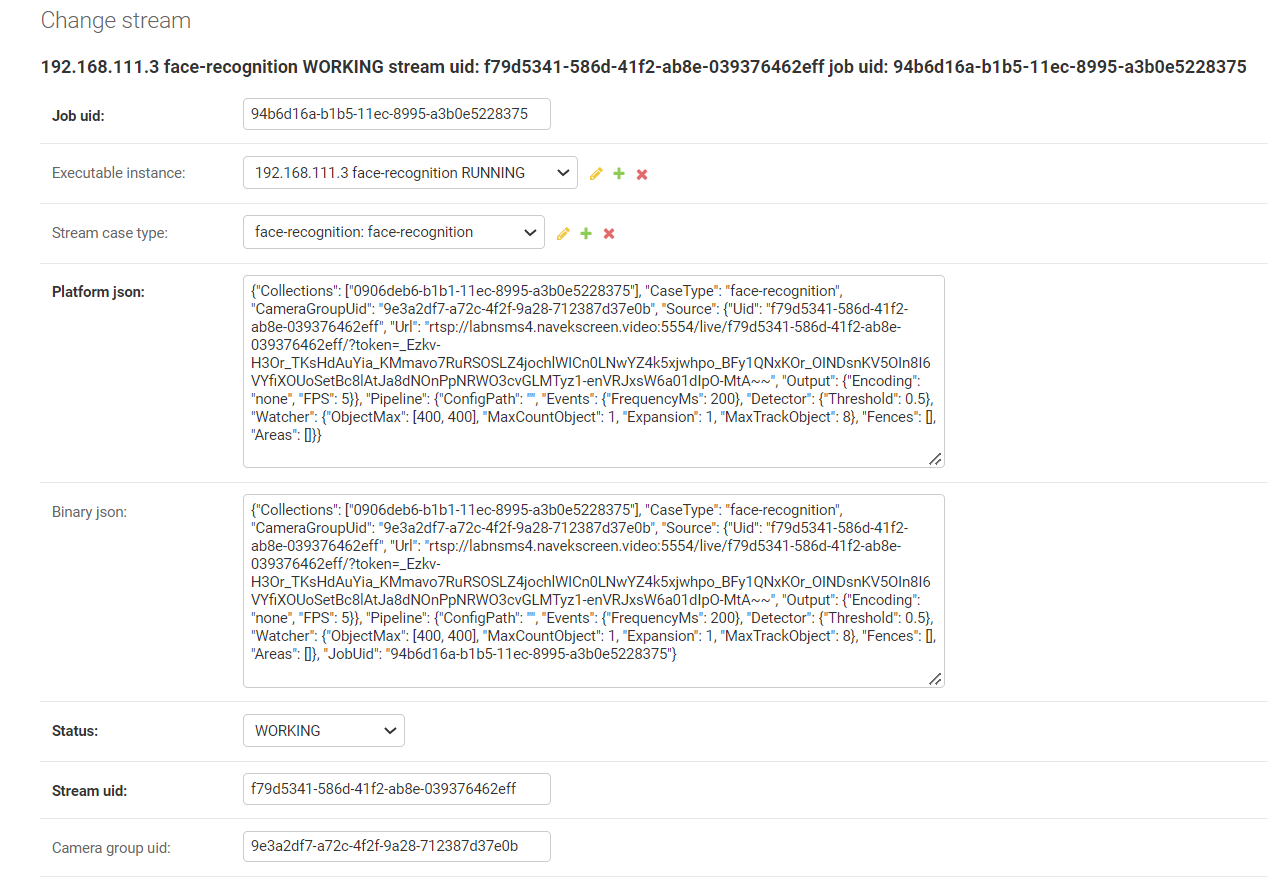
After that, a window will open where you can find the following information:
-
Job uid, the working uid of the stream.
-
Executable instance, the executable file on which the stream is being processed.
-
Stream case type, the type of analytics that is being used on this stream.
-
Platform json, a set of information that comes from the platform, including additional information for configuring the stream.
-
Binary json, a modification of Platform json for sending to the executable file.
-
Status, the status of the stream:
-
Working, the stream is running normally.
-
Created, the stream has been created.
-
Updated, the stream has been updated.
-
Pending, the stream has been sent to the executable file, but notification of its start has not yet been received.
-
Prepared, the stream is ready to run but not yet started.
-
Waiting images, the stream is waiting for image vectorization.
-
Down, the stream is inactive due to problems with the video stream.
-
To replace, the stream has been marked for transfer to another server.
-
Pause, the stream has been marked for pausing.
-
Unpause, the stream has been marked for unpausing.
-
In_pause, the stream is currently paused.
-
Stopped, the stream has been stopped, and the executable file is no longer attempting to capture the media stream.
-
-
Stream uid, the uid of the stream.
-
Camera group uid, a unique identifier that groups multiple cameras within one type of analytics.