
To add an analytics type, click Add.
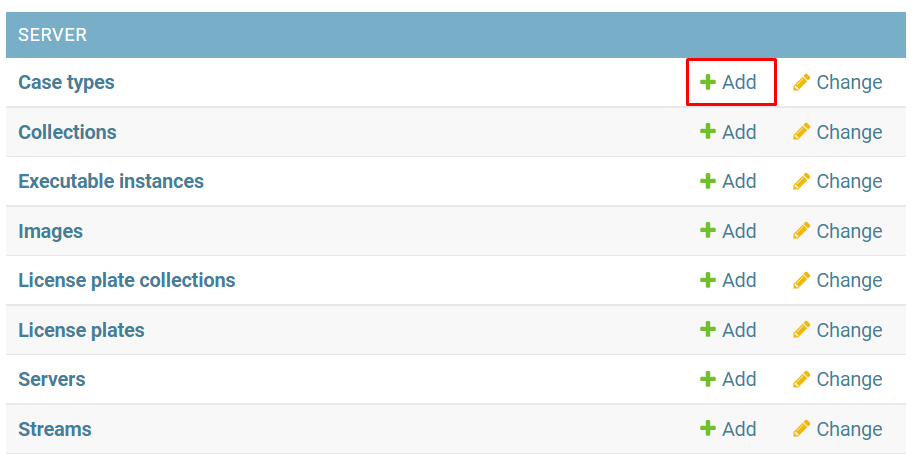
Or open the Case types page and click Add case type.
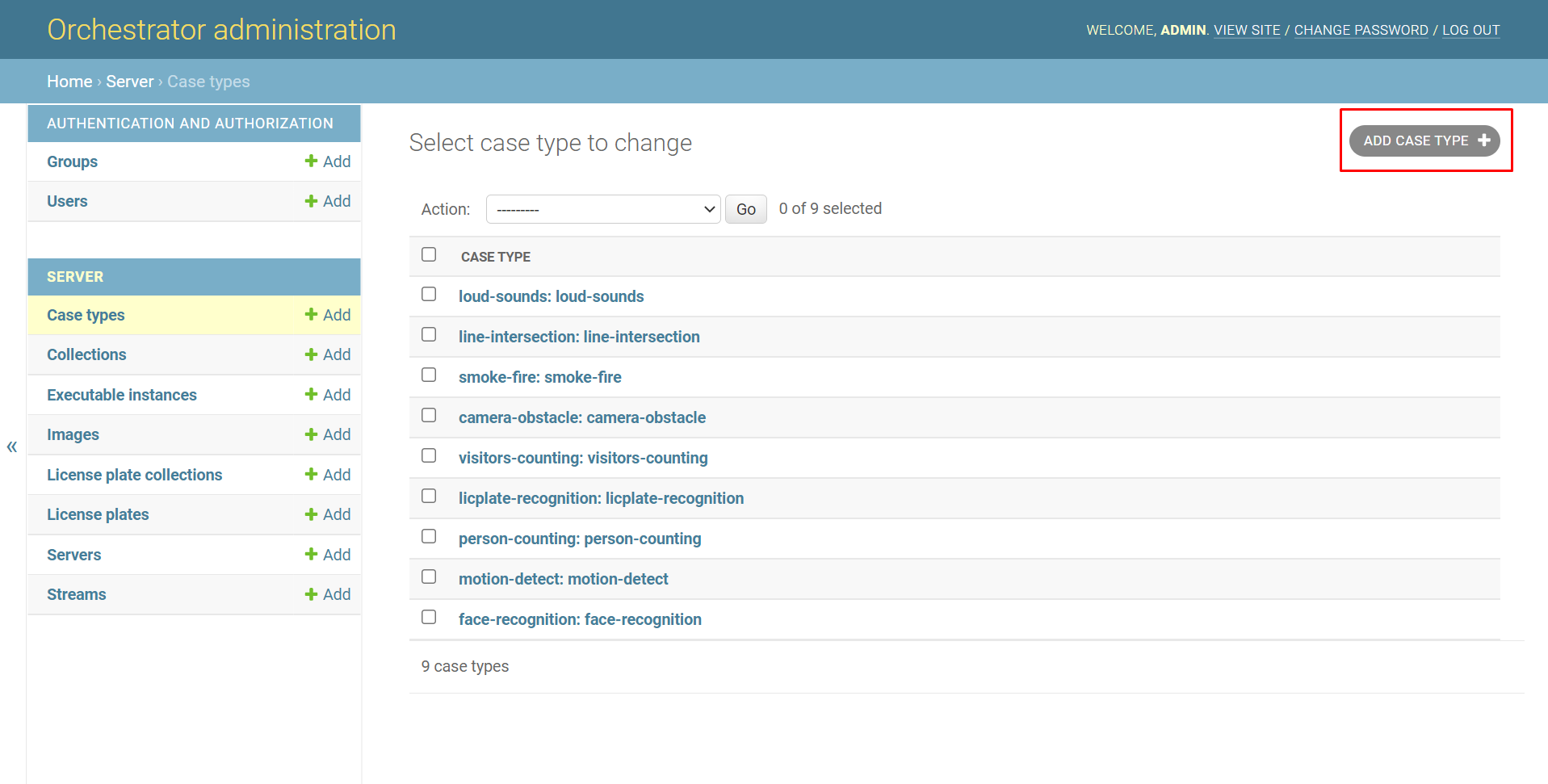
In the opened window:
-
Enter the name of the analytics type in the Name field:
-
loud-sounds
-
line-intersection
-
smoke-fire
-
camera-obstacle
-
visitors-counting
-
licplate-recognition
-
person-counting
-
motion-detect
-
face-recognition
-
-
Repeat the name of the analytics type in the Field name field.
-
If necessary for image vectorization, select the Use images checkbox for the Face recognition analytics type.
-
Complete the addition by clicking Save.
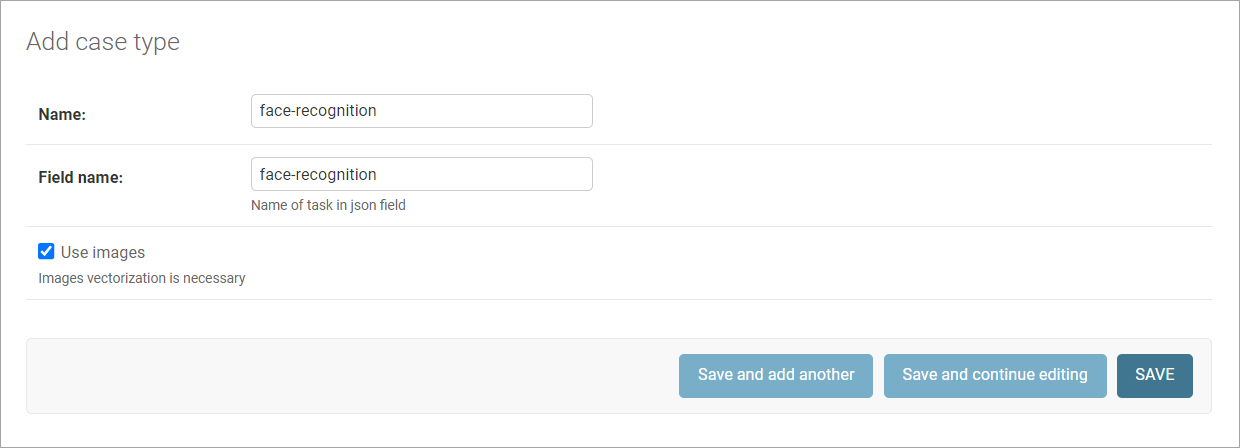
Click:
-
Save and add another to add another analytics type after saving the current one. In this case, a new addition window will open.
-
Save and continue editing to open the editing window for this analytics type after saving.