
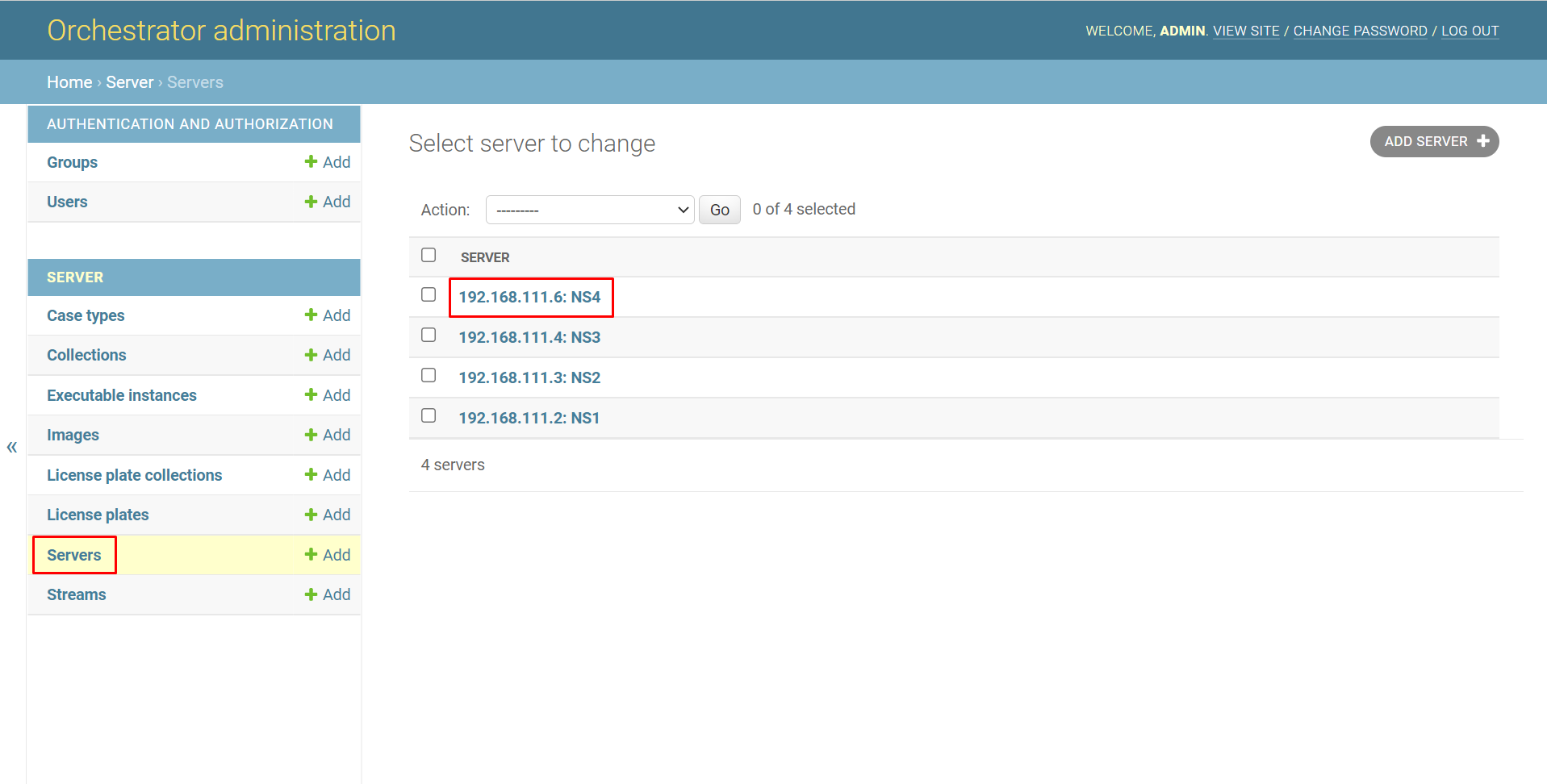
To edit a server, go to the «Servers» section and click on the desired server.
To edit the server:
-
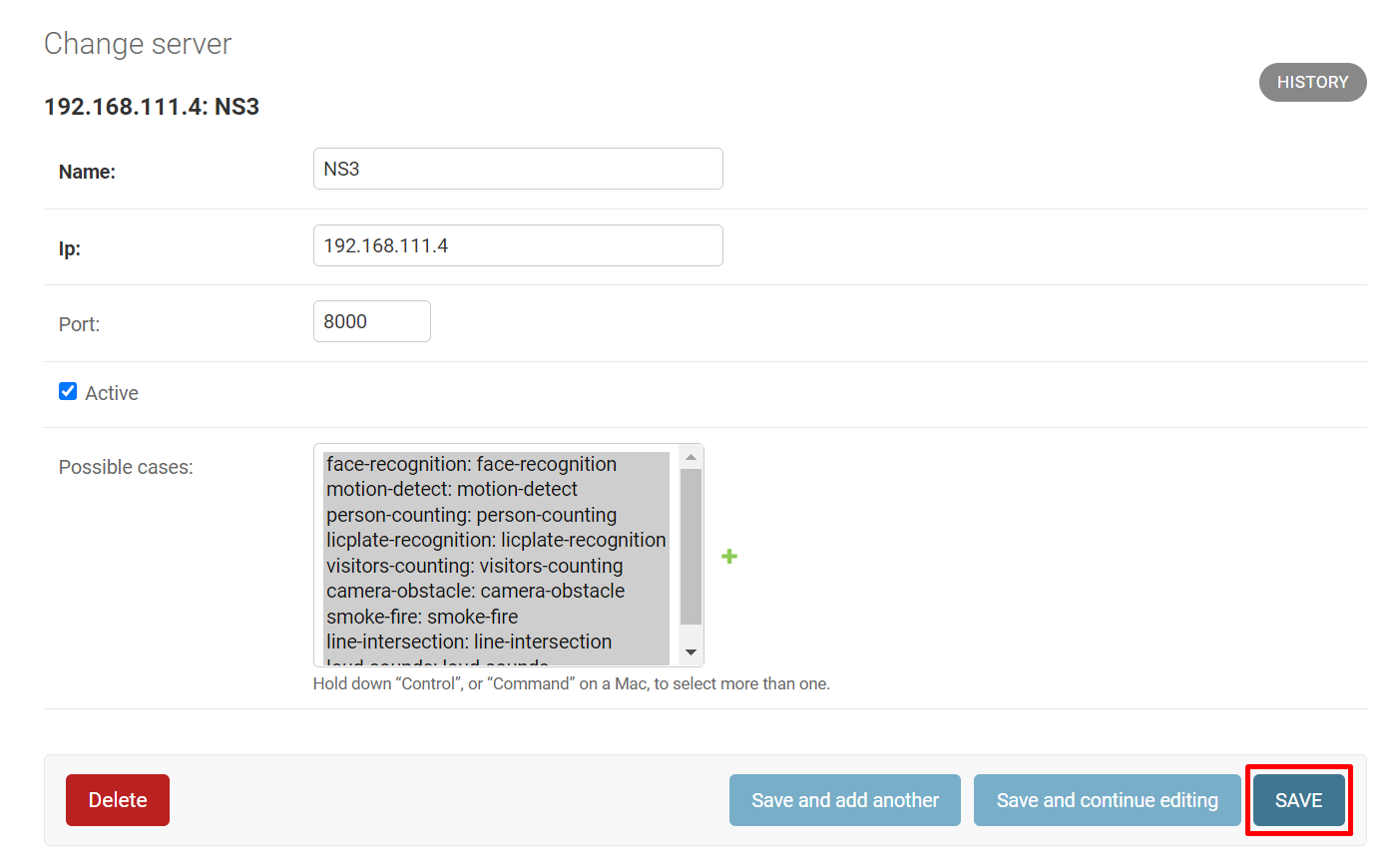
Change the name in the «Name» field
-
Change the IP address in the «Ip» field
-
If necessary, change the port (it is recommended to use the default value of 8000)
-
If necessary, add a new type of analytics to the «Possible cases» field by clicking the add icon to the right of the field ➕
-
Click «Save» to save the changes
Click:
-
«Save and add another» to add a new server immediately after editing the current one. In this case, the add window will open
-
«Save and continue editing» to reopen the edit window for the current server after editing