
To edit a case type, go to the Case types section and click on the desired case type.
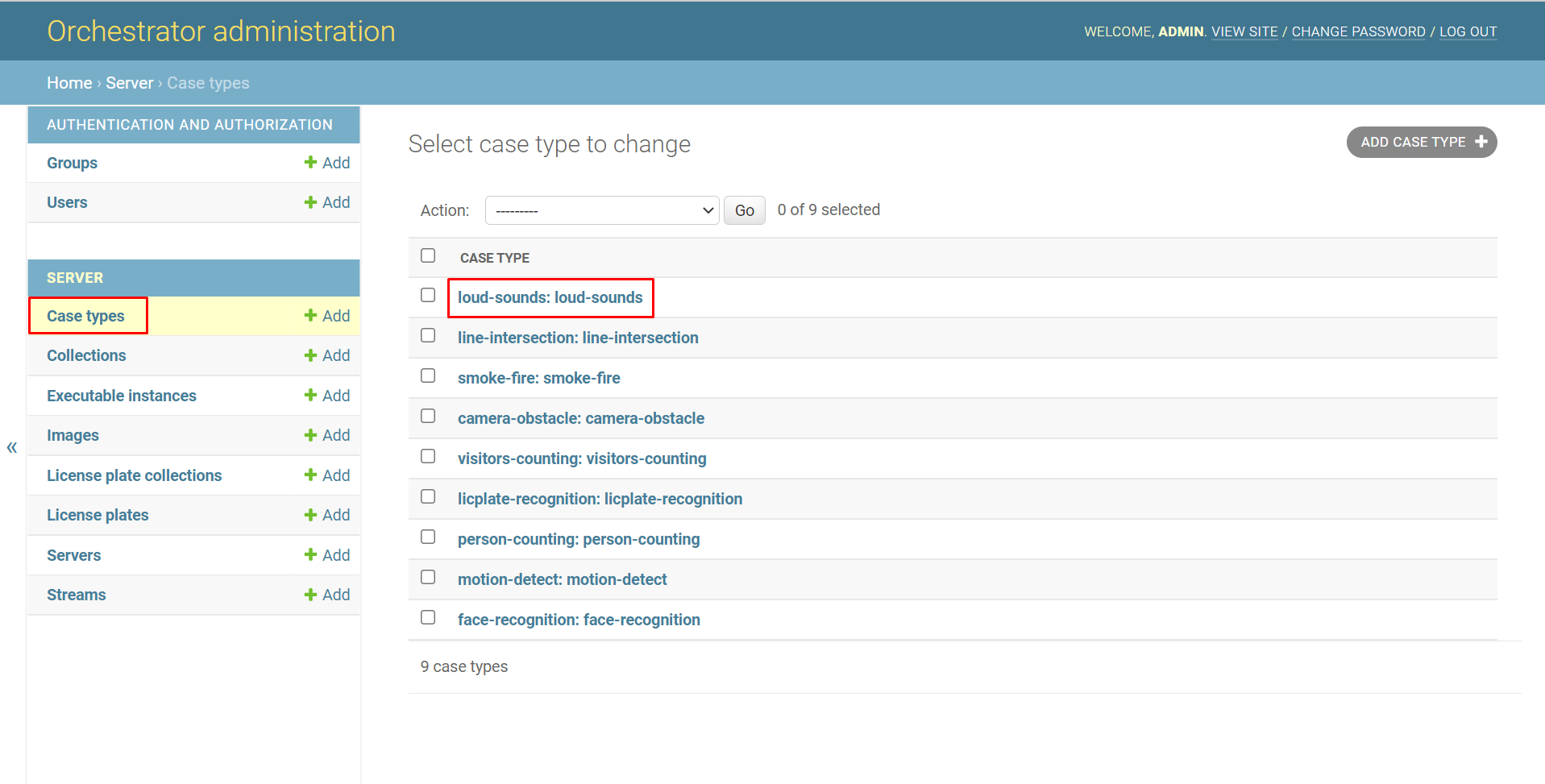
To edit a case type:
-
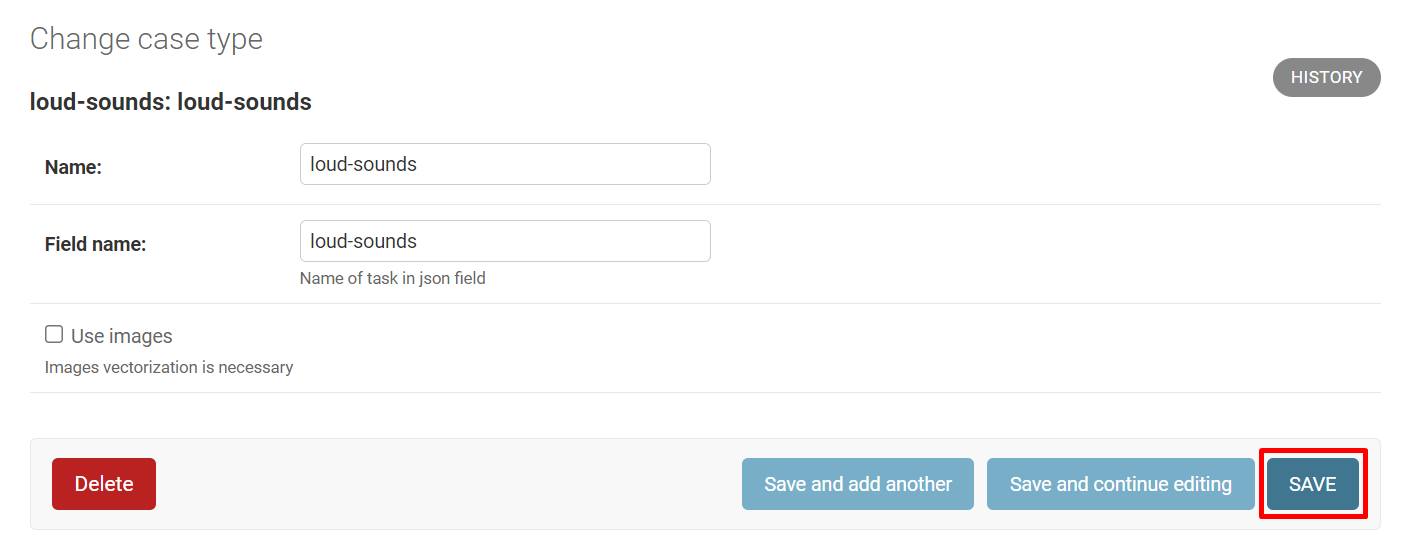
Change the name in the Name field.
-
Change the value in the Field name field.
-
If necessary, enable or disable the Use images setting.
-
Click Save to save the changes.
Click:
-
Save and add another to add another case type immediately after editing. In this case, the add window will open.
-
Save and continue editing to reopen the editing window for this case type after editing.