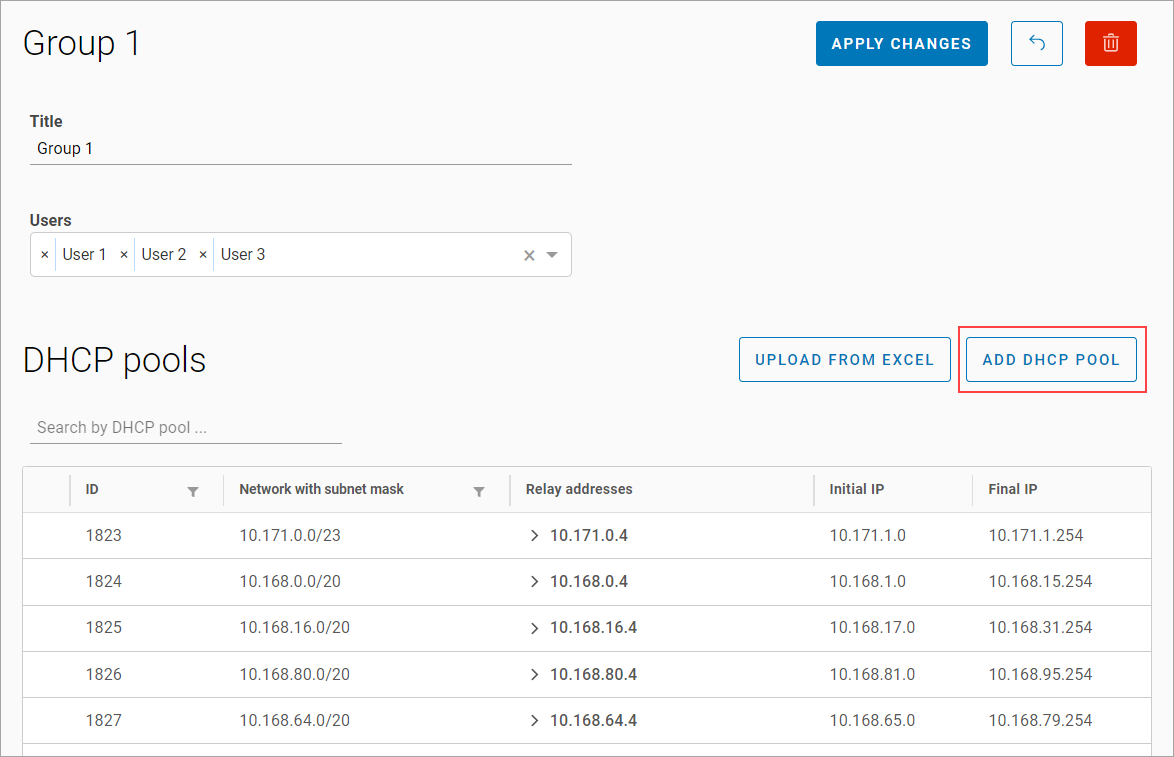
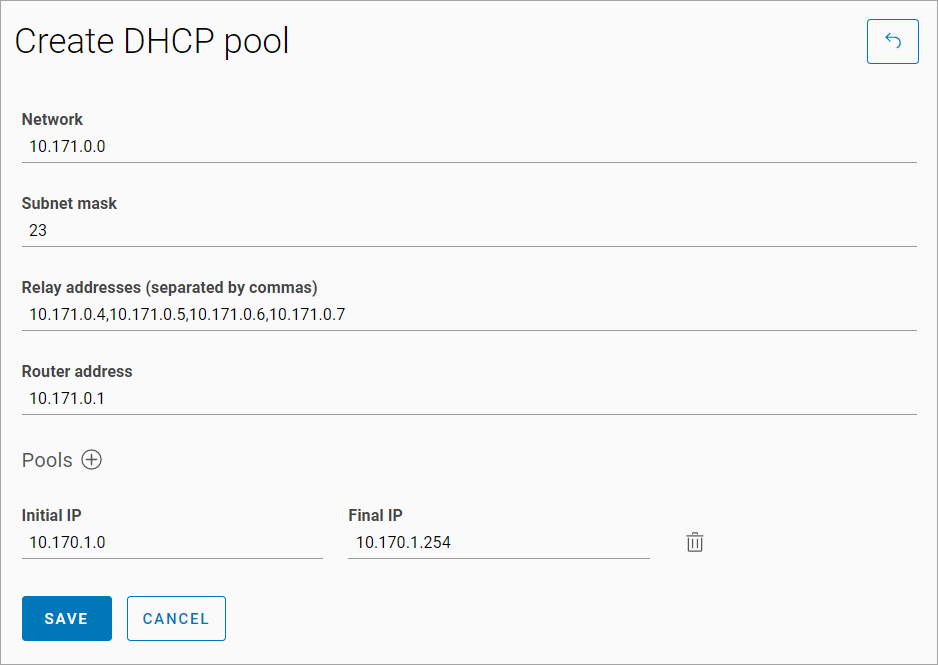
To add a new DHCP pool to a group, follow the steps:
-
Select Add DHCP pool.
-
Enter the network, subnet mask, relay addresses (comma-separated without spaces), and the router IP address.
-
Select the Pus ➕ icon to add the pool, and enter the start and end IP addresses of the pool.
-
Save.
DHCP pools can also be loaded into the group from an Excel file.
When editing, save changes with the corresponding button.