
On the Camera events tab, you can find the following types of events:
-
The SMTP motion detection event.
-
The following events received from ONVIF-compatible cameras will be displayed:
-
Motion detect
-
Tamper detection. Image too blurry
-
Tamper detection. Image too dark
-
Tamper detection. Image too bright
-
Tamper detection. Global scene change
-
Event from external system
-
Event to external system
-
Configuration changed
-
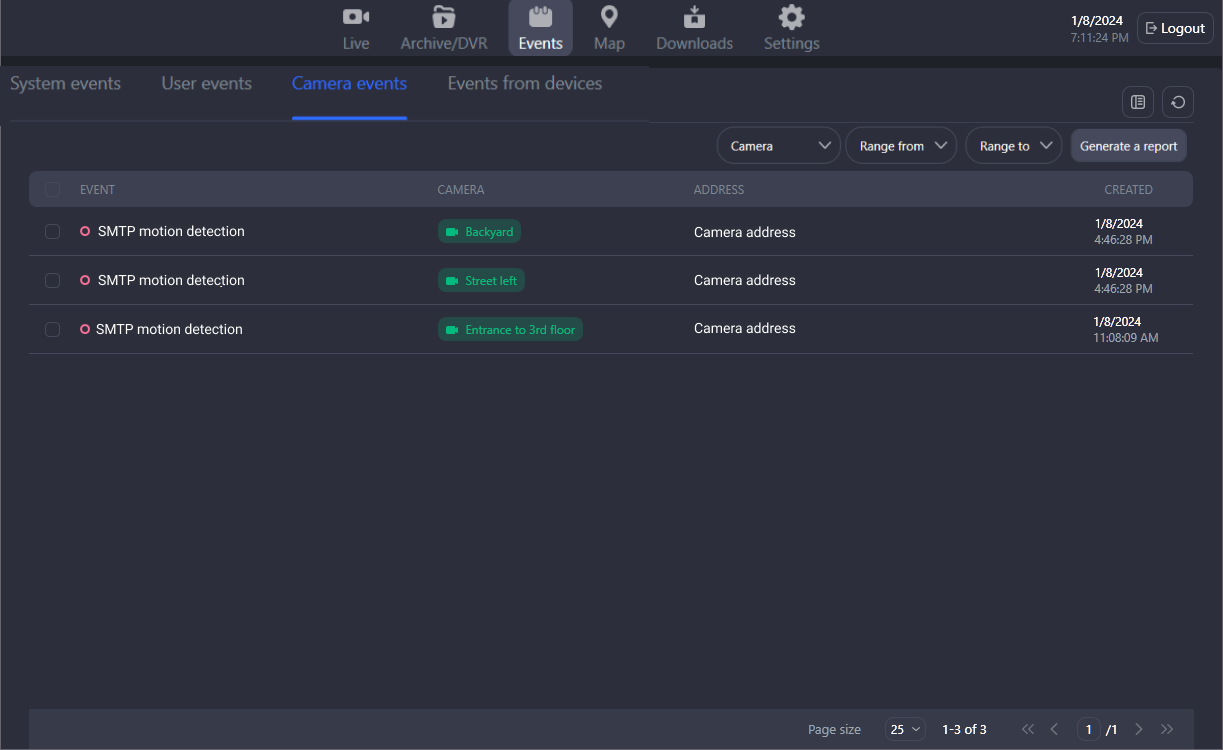
For each event, the following information is presented:
-
An event type
-
A camera name.
-
A camera address.
-
An event date and time.
Watch the event in the player
To view the archive of the recorded event, left double-click the event name or camera name. Optionally, you can navigate from the context menu of the event by selecting Go to event. This will open the player to watch the recorded event.
If there is no archive at the time of the event, a message “The start of the event is outside the current archive limits. Go to the archive?” is displayed. Selecting Yes, navigates you to the archive of this camera at the time of the event. Selecting No, you stay on the current event page.
Open on a layout
It is possible to simultaneously view several events at the same time.
To do this, select the checkboxes of relevant events and Open on layout.
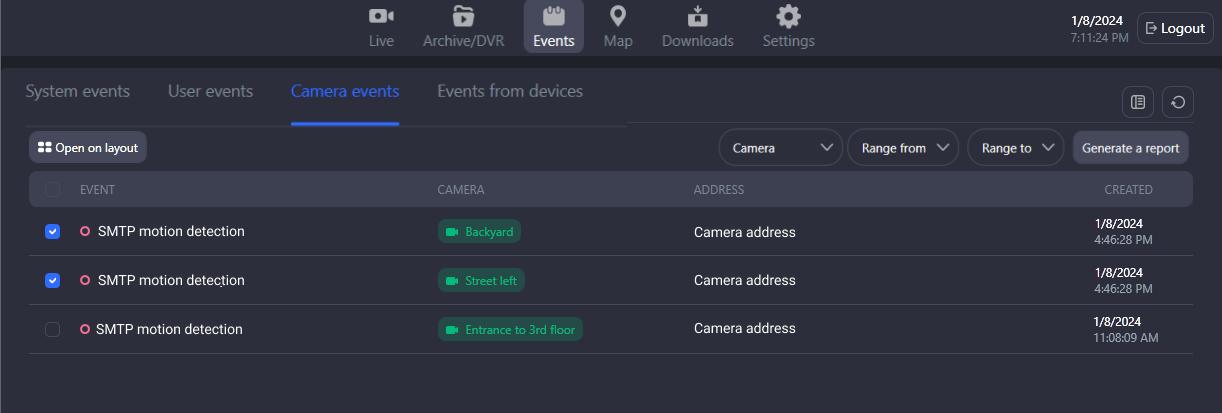
You can select up to 6 events.
As a result, you navigate to the Archive/DVR section, where a new layout will be created with the corresponding cameras and playback of the selected events.