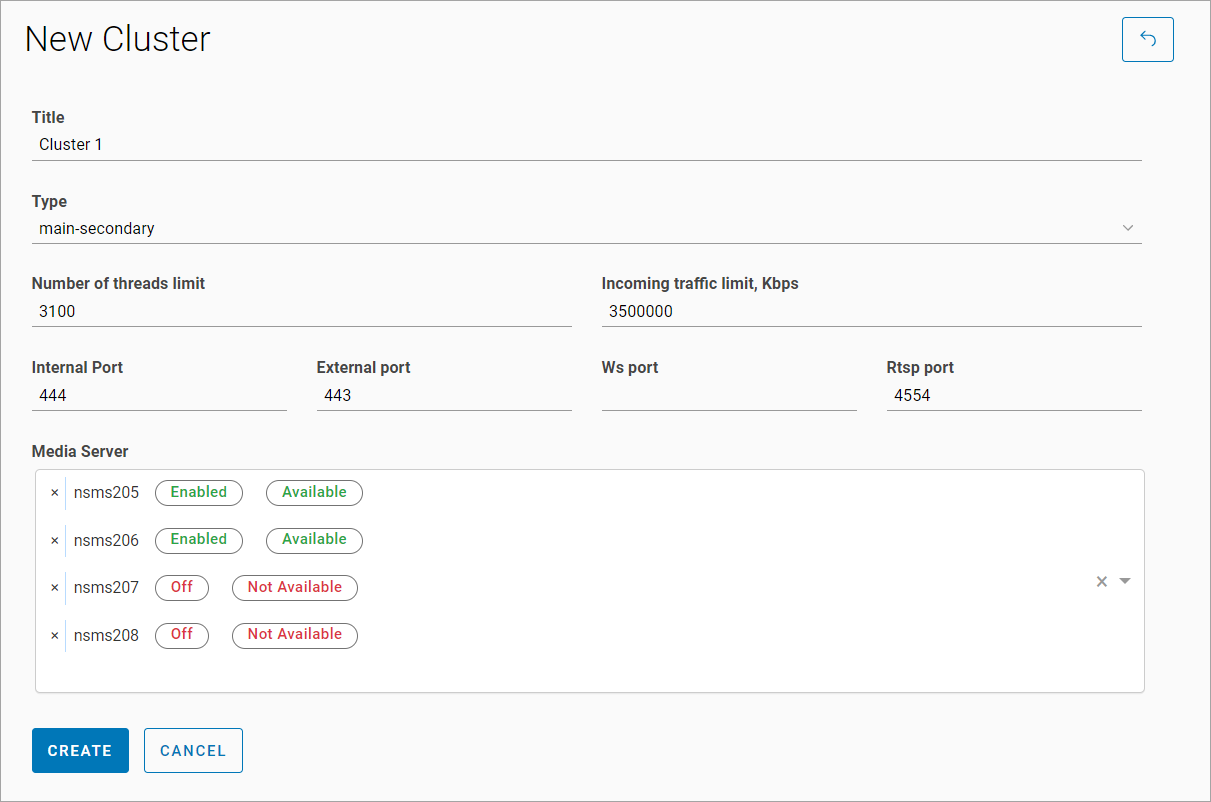
To add a new media server cluster, follow the steps:
-
Select the Add cluster button.
-
On the opened page, specify the following:
-
A cluster title
-
A type
-
Select two or more media servers. When selecting a media server from the list, the following information is displayed:
-
Media servers that are not added to any clusters.
-
The status of enabling the media server for distribution.
-
Availability status of the media server.
-
-
If necessary, specify values for settings that will be inherited by all media servers included in this cluster:
-
Number of threads limit
-
An incoming traffic limit, in Kbps
-
An internal port
-
An external port
-
A WS port
-
An RTSP port
-
A public port of the media server
-
-
Select the Create button.
If cluster-wide media server settings are defined, then upon adding a new media server to the cluster, all of its settings will be overwritten by those defined at the cluster level.