
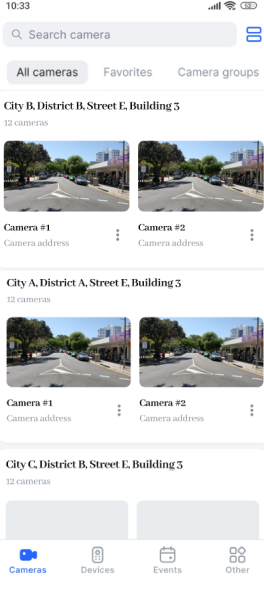
In the Cameras section, the mobile app user can access all the video surveillance cameras available to them. The cameras are grouped according to various criteria on the following tabs: All cameras, Favorites, Camera groups.
For navigation through cameras on the Cameras groups and All cameras tabs, the user can select the tile or list view. For this, select a relevant icon at the top right of the Cameras tab. The app saves the last camera view setting – list or tiles – and applies it the next time the user launches the app.
The Favorites tab features the tile view only.
When the list view is selected, the user can navigate through a carousel of grouped cameras by scrolling horizontally.
|
.png?cb=26780e00302cc68d8488040c3fe200a1)
|
|
|---|