
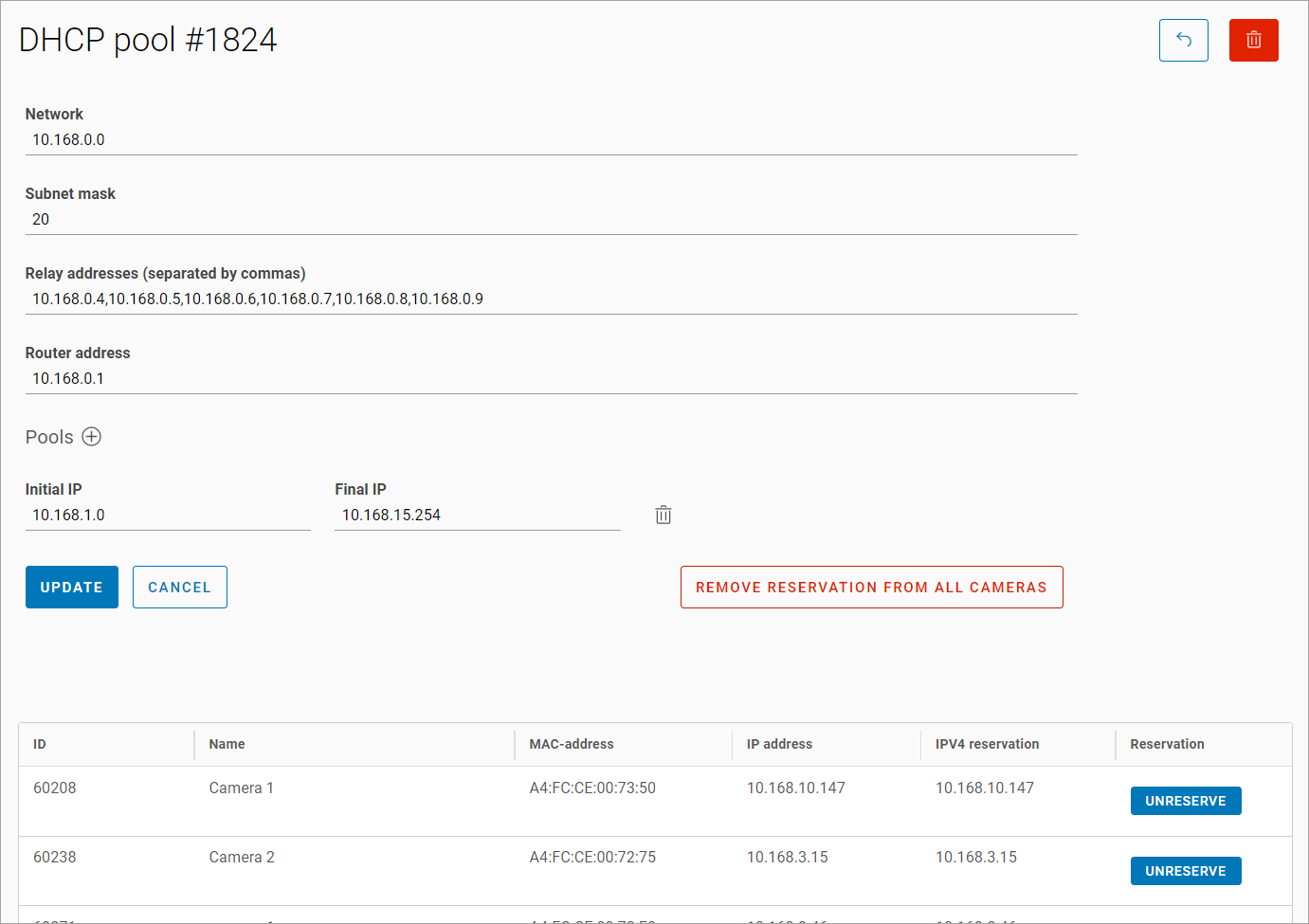
Displayed information when viewing a DHCP pool includes:
-
A network
-
A subnet mask
-
Relay addresses
-
A router address
-
Pools:
-
An initial IP
-
A final IP
-
-
The Remove reservation from all cameras button.
-
The table displays the cameras that have reserved this DHCP pool. The table features the following information:
-
A camera ID
-
A camera name
-
A MAC address
-
An IP address
-
An IPv4 reservation
-
In the Reservation column, you can select the Unreserve button to remove the reservation for the selected camera.
-
To save the changes, select Save.
If you select Cancel, the modified data will be discarded, and you will return to the DHCP subnet group view page.