The list of existing layouts in available on the Cameras tab > Layouts.
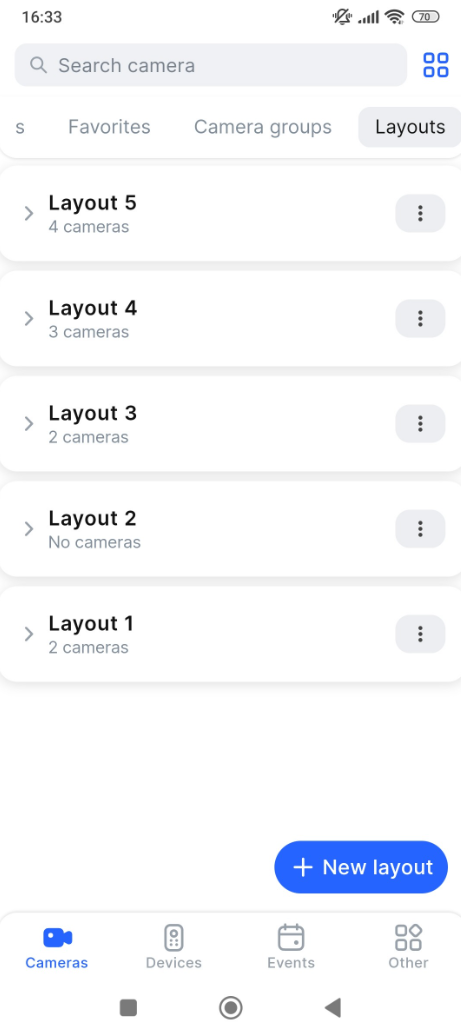
To manually update the list of layouts, swipe down the screen.
From within the action menu of a layout, you can select the management options for a selected layout. To call out the menu, select the vertical ellipses icon (⋮). The following actions are available:
-
Open a layout – navigates you to the layout player to watch video from cameras.
You can view the list of cameras in a layout by selecting the Expand icon near a layout name.
Tapping the layout name opens the player and automatically displays the stream from the first available (unblocked) camera in this layout.
.png?cb=5c06eef9d9bf182c4c895edfb055205c)
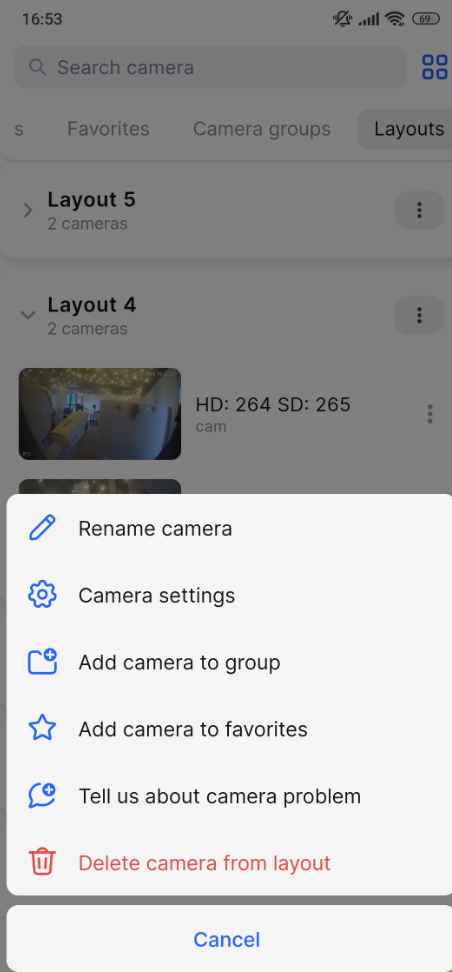
You can manage cameras from within the layout. To call out the camera context menu, select the vertical ellipses icon (⋮) for this camera in a layout. The following management actions are available for a selected camera:
-
Rename a camera.
-
Navigate to the camera settings.
-
Add a camera to a group.
-
Add a camera to favorites.
-
Report a camera issue.
-
Delete a camera from a layout.
For a detailed explanation of how to manage camera settings and actions within your layout, refer to the Manage cameras in a layout documentation section.