
In the profile settings, you can perform the following actions:
-
Change the password.
-
Select a language (Russian or English).
-
Sign out.
To open the profile settings, select the username at the top-right.
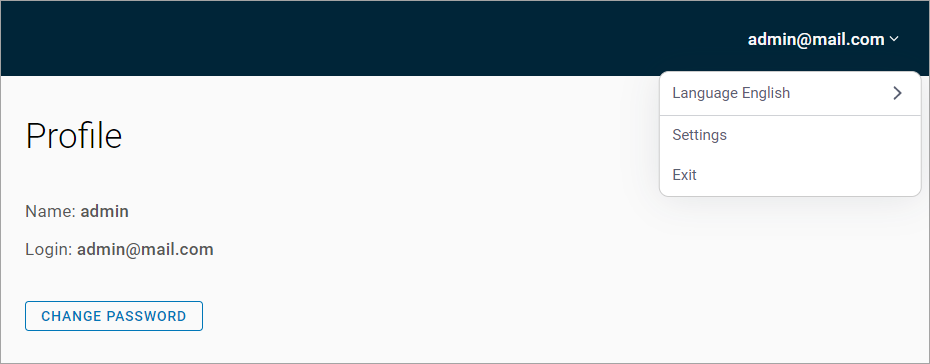
To change the password:
-
Select Change password.
-
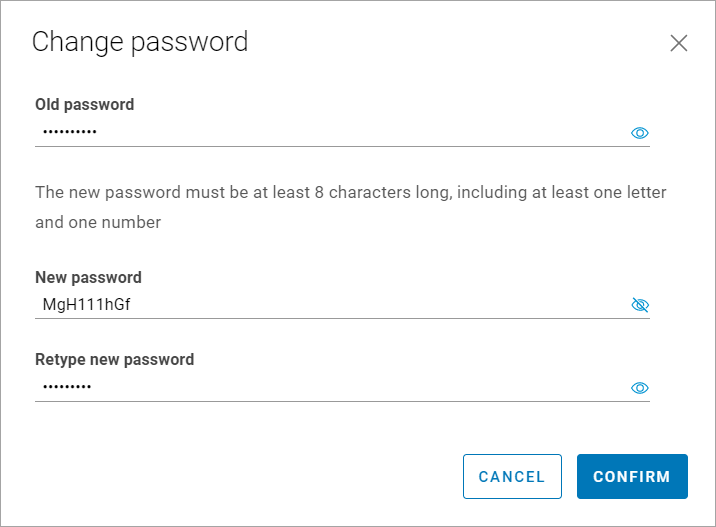
On the opened panel, enter your old password, new password, confirm your new password. Make sure you meet the password requirements.
-
Confirm the action.
To change the language:
-
Select Language to call out the drop-down list of available languages.
-
Select the language.
.png?cb=0f2950672b555e2af0ea2cda3279327e)